Access Required
This case study is protected due to confidentiality agreements and is intended only for professional viewing.
To request access, please use nataliiayarko.pd@gmail.com or LinkedIn – I usually respond within 60min unless I'm asleep.
Full Redesign
UX Strategy
B2B SaaS
PropTech

01 — Business Context
The Platform & The Tension
The Platform
PropTech Maps is a UK PropTech platform with ~5,000 paying accounts. Developers, investors, planning consultants, and land buyers use it to find development opportunities, evaluate sites, check planning constraints, and decide where to invest.
Over five years, the platform grew feature by feature — more capable, but harder to use. The business wanted to grow revenue without growing support costs at the same rate.
The Tension
Founders wanted more features and more information visible on screen — because that's what demos well to new customers. Research kept showing the opposite: more on screen meant more cognitive load and less confidence.
Most of my job was holding that line with evidence.
Success meant: higher adoption of features users already paid for, less dependency on Support, and a structure the platform could keep growing into.
Five years of growth created a powerful platform, but not an understandable one.


02 — Problem
The Real Problem Wasn't Onboarding
The Business Problem
Five years of additions built a powerful but fragmented platform. Valuable functionality sat unused. Support load climbed with every feature. Growth was starting to cost more than it returned.
The User Problem
Users weren't blocked because features were missing. They were blocked because they couldn't find them, understand them, or trust them enough to act.
What Research Proved Wrong
A platform survey showed 63% of users didn't know valuable functionality existed. Release news went by email and people ignored it. The issue wasn't education — a bigger onboarding flow would just teach people to navigate a broken structure faster.
The problem was never onboarding. It was the structure underneath it. Users weren't struggling to access data — they were struggling to turn data into decisions.
What Users Showed Me
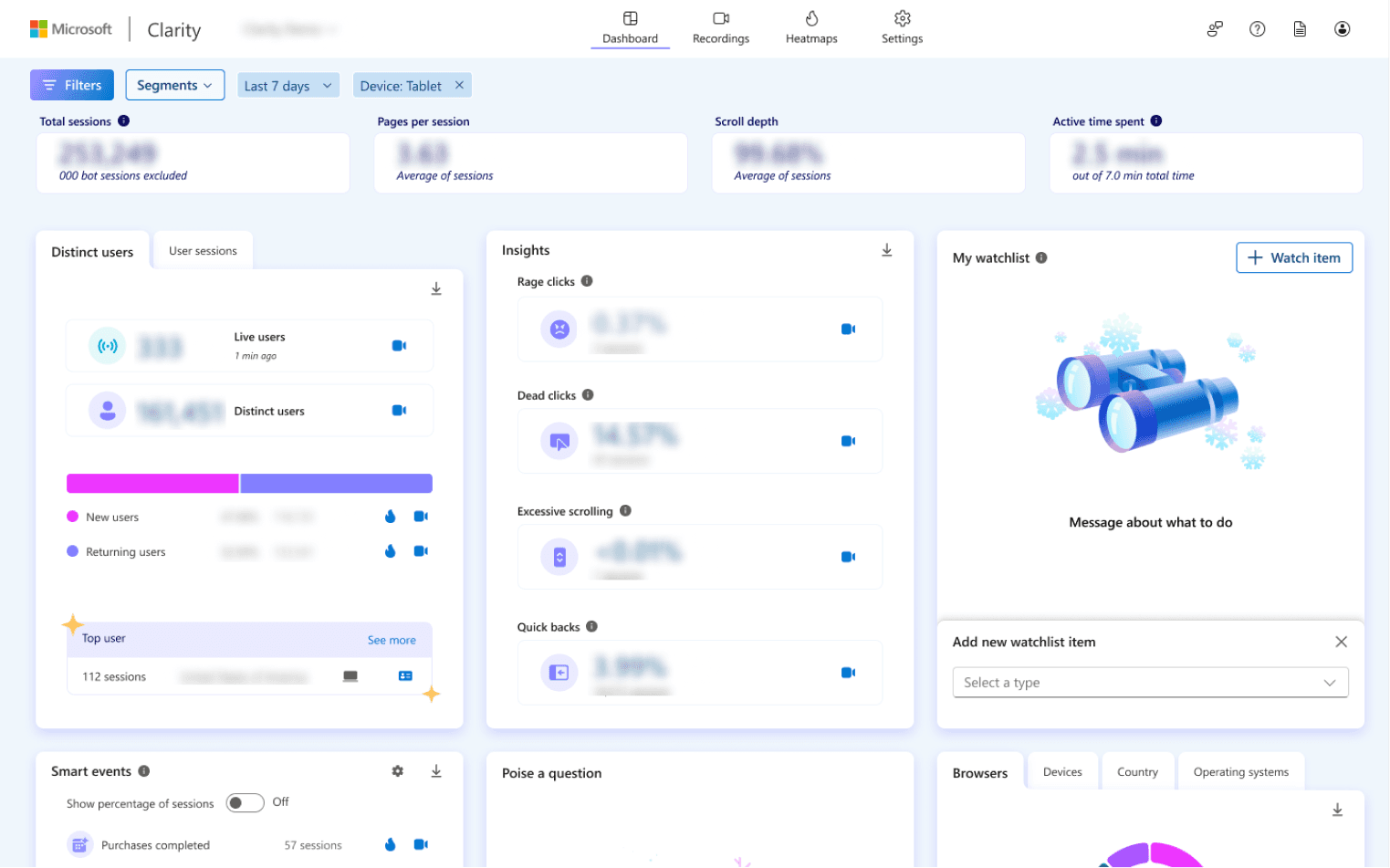
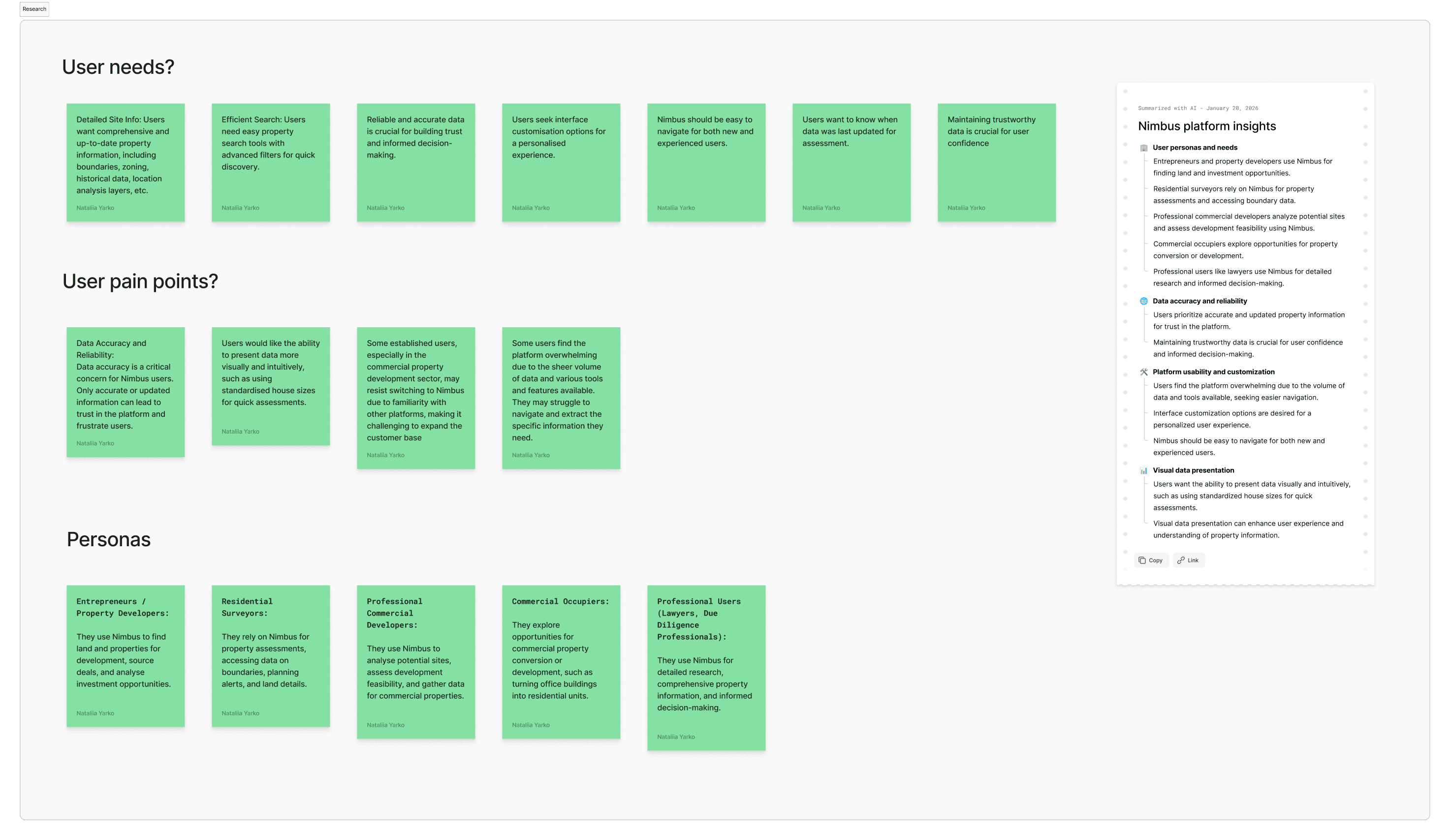
Three clusters emerged from sessions and Clarity data: navigation confusion, data trust gaps, and feature invisibility.


03 — My Role
Sole Designer. Primary Decision-Maker.
I joined as a Product Designer to improve and ship new features. Within weeks I was questioning the whole experience and arguing for something the founders hadn't asked for. That decision turned a feature project into a multi-year platform transformation.
What I Owned
Research, problem framing, product direction, information architecture, interaction & UI design, the design system, and rollout.
The Influence Problem
The founders didn't want research — they wanted features. I made the case for discovery and got the go-ahead.
Timeline
2023 - Present
First 2 weeks: Learning the platform as a user, not a designer.
Months 1–2: Research - sessions, Clarity data, stakeholder interviews. Hired to ship features — research showed the problem ran deeper.
Month 3: Research presentation to founders. Took several weeks to make the case for redesign — they wanted features, not discovery. Got the go-ahead.
Month 4+: First IA redesign presentation reframed the whole direction. Founders got involved. Scope expanded.
Since then: shipping incrementally - redesign and new features in parallel, never blocking development.
Most of the role wasn't designing screens. It was moving an organisation that hadn't asked to be moved.
04 — Direction
Four Strategic Moves
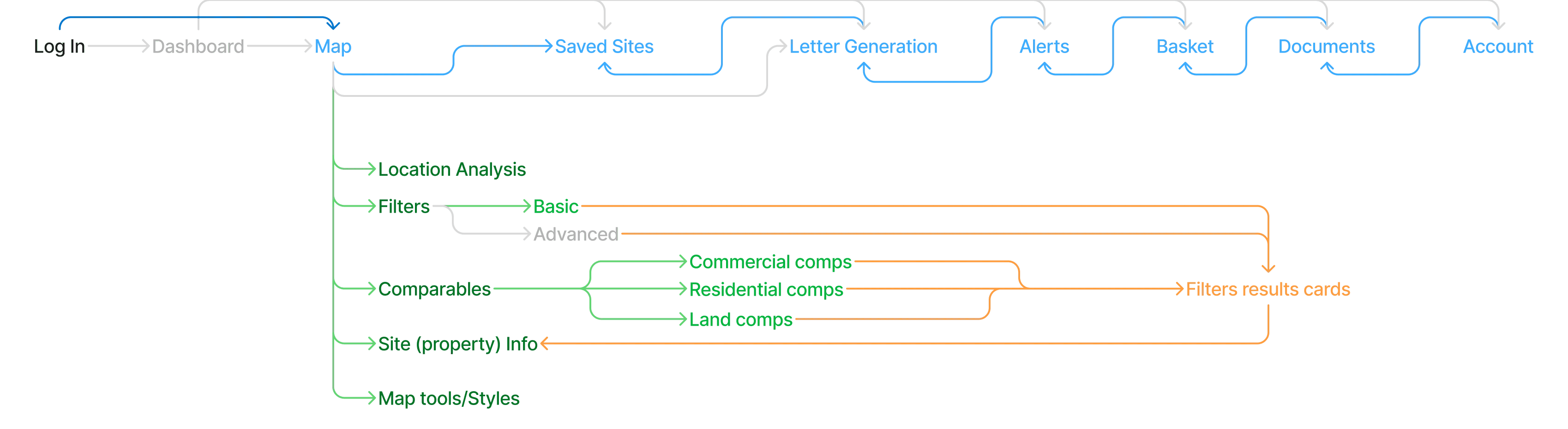
Before redesigning screens, I needed a structure the platform could grow into.
Research revealed four structural problems. Instead of redesigning screens one by one, I reorganised the platform around how property professionals evaluate opportunities and make decisions.
Those findings became four strategic moves.
1.
Rebuild Information Architecture
Organise around workflows, not historic feature groupings.
2.
Make Functionality Discoverable
Hidden features surfaced without requiring Support intervention.
Filters moved from a hidden popover to a persistent panel with keyword search. Feature adoption 3×.


3.
Cut Cognitive Load
Complexity reads as clear, not simple. Capability preserved.
74 title numbers with no context → scannable lease summary with occupancy, rent, and expiry at a glance.


4.
Add a Self-Serve Path
No onboarding existed. New users had one option -- call support or book a Zoom. We added a guided path for those who preferred to figure it out themselves. Support load dropped 36%.

5.
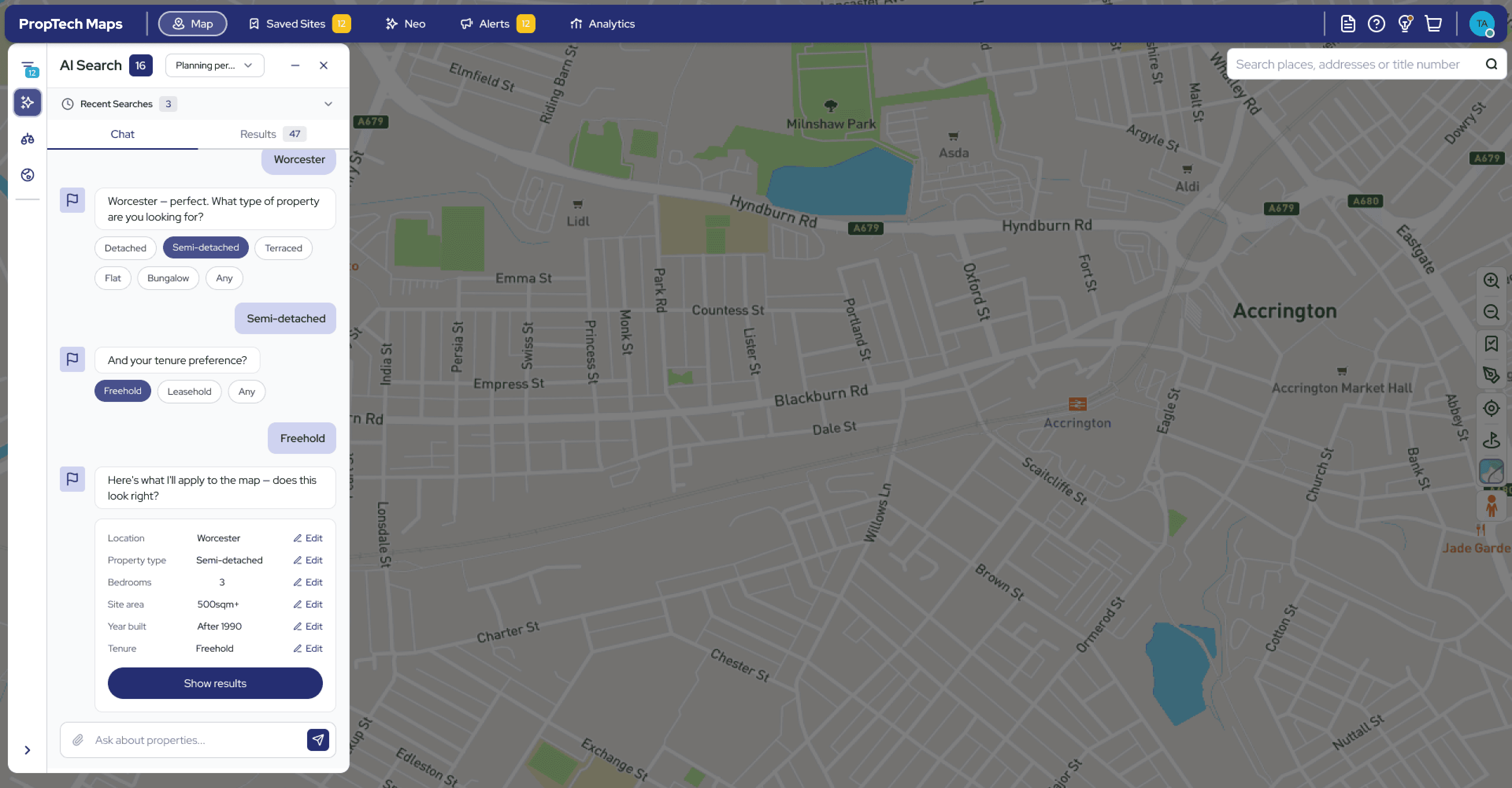
Make Functionality Discoverable
Explored AI-assisted search. Structured chips guide refinement, then a confirm-before-apply summary shows exactly what the system understood before it touches the map — letting users correct intent before it acts. Same pattern applied to free-text queries: interpreted into parameters, explained back, with follow-up suggestions to refine further.
05 — Impact
The Numbers That Prove the Work
75+%
ARPA growth
over 2 years
The redesign made high-value workflows discoverable and easier to act on, so accounts used more of what they were paying for and moved to higher tiers.
2×
ARR Growth
roughly doubled year-on-year.
Better discoverability and positioning fed directly into stronger sales conversations and retention, roughly doubling annual recurring revenue.
−36%
Support Requests
After onboarding shipped, new users stopped needing a human to get started. The most common "where is X / can I trust X" tickets dropped significantly.
Beyond the numbers: the redesign made the platform demonstrably easier to sell and to extend. It changed the internal conversation from "What feature do we add next?" to "How do we help users find value and decide with confidence?"
"The new interface finally makes sense - I found features I didn't know existed that are saving me hours every week."
— Surveyor, existing customer
"For the first time, I didn't need to call support during my trial."
— Residential Developer,
new customer
"We can finally upsell advanced packages because customers can actually use them."
— Sales Director
The prototype that enabled sales conversations
Sales used this clickable prototype to demo the new filter experience before development. Prospects wanted to buy what they saw. ARPA grew 75% over 2 years
This is the condensed version.
Want the full story?
The deeper sections cover: three workflows that became product anchors, a stakeholder call I lost — and was later proven right about, why personas failed and what replaced them, and what this project actually taught me about designing for trust in high-stakes systems.
Happy to walk you through the complete story at interview.